How to Make a Mr Stretchy Ms Stretchy AI Video from Photos
 Mr Stretchy Mrs Stretchy AI Studio
Make a Mr Stretchy Ms Stretchy AI Video around a joke you share. Choose a fitting scene, cast both roles, check credits, and review your clip before sharing.
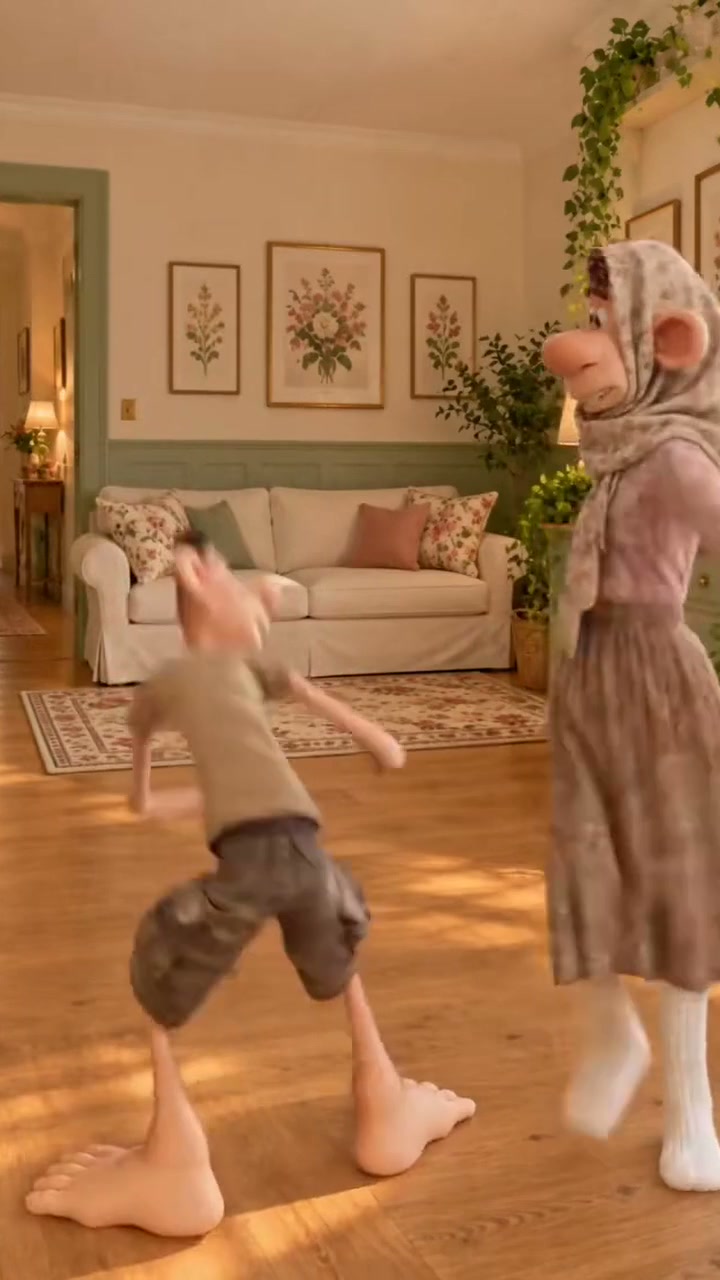
A Mr Stretchy Ms Stretchy AI Video can turn a familiar habit into a clay-cartoon joke: the ambitious cook, the surprised partner, or the friend watching another coffee disaster. Before you open the studio, decide what makes the moment funny to the two people in it. Use the decisions below to take that idea through casting, generation, and a final viewing check.
1. Decide Who Gets the Joke
Start with a sentence such as “this is us every Sunday morning.” That gives you a reason to choose a scene and a person to send it to. A private chat can carry an inside joke; a public post may need a short caption explaining the situation.
Check that both people are comfortable appearing in an exaggerated comedy clip. A joke about a shared mishap is easier to enjoy when everyone involved finds it funny.
2. Find the Scene That Tells It
Watch the reference samples before choosing. A pancake flip suits an overconfident cook, a bouquet reveal suits a surprise, and a coffee spill suits a routine gone wrong. Look at who starts the action and who reacts, and listen to the sample's audio.
The reference sets the requested scene, duration, and audio direction. Choose one whose existing action fits your idea rather than expecting your photos to turn it into a different story.
3. Cast the Reaction
In your Mr Stretchy Ms Stretchy AI Video, the person causing the mishap and the person reacting may matter more than the character names. With separate portraits, Slot 1 is Ms Stretchy on the left and Slot 2 is Mr Stretchy on the right. Use Swap L/R before submitting if you want to exchange those assignments.
For one couple photo, upload it to Slot 1 and leave Slot 2 empty. If either face is difficult to see, consider separate portraits. The seven photo decisions help you choose. Photos on your phone can reach the desktop studio through Scan QR to Upload from Phone beside each slot.
4. Check the Version You Are About to Buy
Before generating, confirm the people, the reference, and the displayed duration. Credits follow the selected template at 1 second = 1 credit, so a 10-second choice uses 10 credits and a 30-second choice uses 30.
Generate with account credits or use the single-video Stripe checkout without signing in. Compare single-video purchases, credit packs, and subscriptions on the pricing page. Make this choice after selecting the scene so the budget reflects the clip you actually want.
5. Review It for Its Intended Audience
When the result is ready, watch it with sound, then once without sound at phone size. Are both people recognizable? Does the intended person deliver the reaction? Does the joke make sense without a long explanation? Review the whole clip, including the ending, before sharing it.
Save the MP4 with Direct Download MP4, or use the download QR code to open the phone download options. For a public post, a simple caption can explain the shared habit behind your Mr Stretchy Ms Stretchy AI Video. For an inside joke, sending it to your co-star first may be the best finish.